
Google announced three updates to its Maps Platform imagery products this week at Google Cloud Next, each pairing real-world imagery with AI in ways that have direct relevance for professionals working in geospatial data collection, analysis, and infrastructure planning.
The announcements come from Yael Maguire, VP and GM of Google Maps Platform and Google Earth, and represent a broader push by Google to make its global imagery catalog more analytically useful, not just visually navigable. It follows a previous round of Google Earth and Maps updates in 2024 that added historical imagery and expanded Street View coverage globally.
Generative imagery grounded in Street View
The first update, called Maps Imagery Grounding, lets users generate AI imagery anchored in real-world Street View data. Currently in private preview for U.S. locations, the tool works through Google’s Gemini Enterprise Agent Platform and allows users to prompt a scene at a specific address or landmark and receive a photorealistic generated image tied to actual Street View geometry and context.
Google’s stated use cases skew creative, naming film studios and advertising agencies as primary targets. But the underlying capability is worth watching from a geospatial standpoint. The ability to generate scene-specific visualizations from real-world spatial data has obvious downstream potential for site assessment, public-facing project communication, and pre-construction visualization workflows. Firms that regularly need to communicate spatial context to non-technical stakeholders might find this kind of tool, or derivatives of it, showing up in their client deliverable stack sooner than expected.
Automated analysis of aerial and satellite imagery
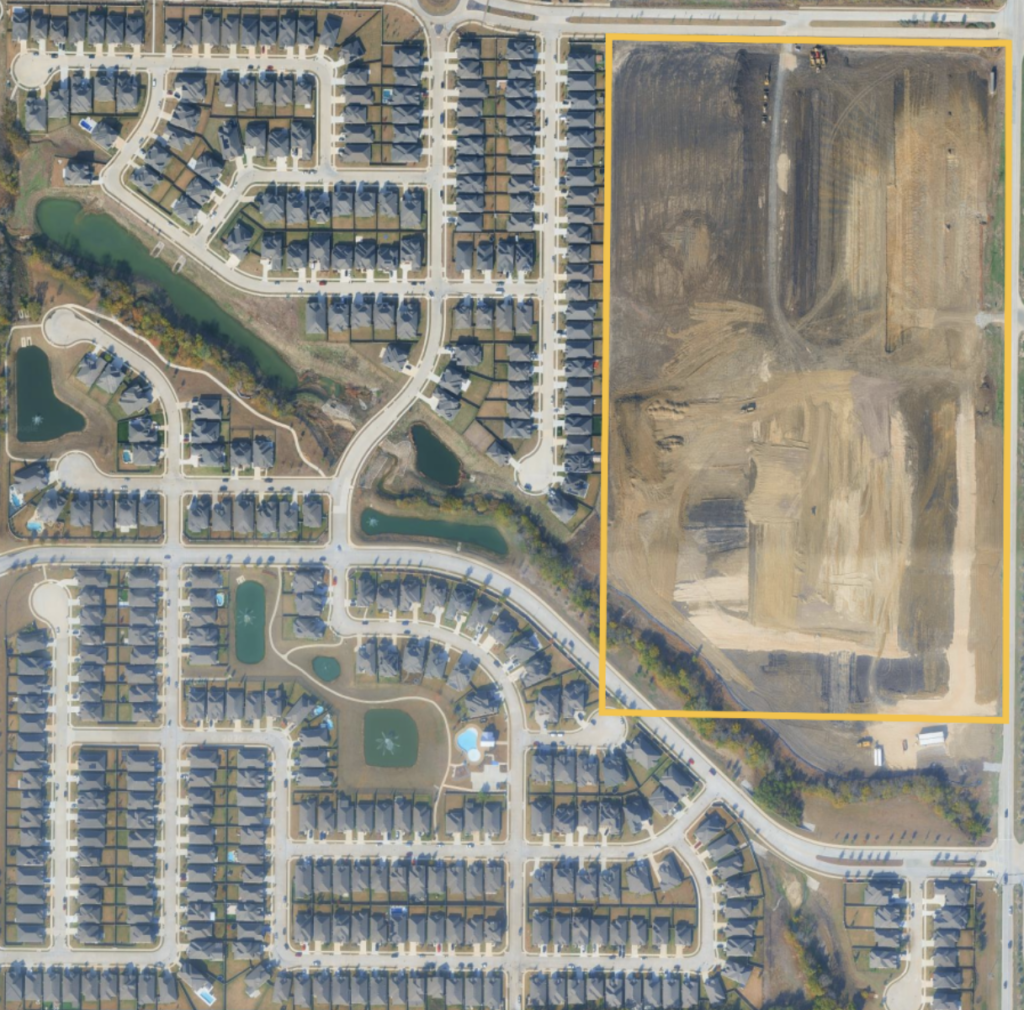
The second update is perhaps the most operationally relevant for the geospatial industry. Google is adding Aerial and Satellite Insights to its Earth AI product, enabling automated analysis of satellite imagery through Google Cloud’s BigQuery.
According to Google, the tool is intended to compress weeks of manual image review into minutes, with city planners cited as a key audience, specifically for tracking active construction in residential areas to support infrastructure allocation decisions. That example maps closely onto work already being done by geospatial firms supporting municipal clients, transportation agencies, and utility companies. Change detection, construction monitoring, and land use classification are recurring project types for small and mid-sized surveying and mapping firms, and the prospect of AI-assisted automation at this layer of the workflow is worth tracking. Google isn’t alone in this direction: Planet’s Road and Building Change Detection models and Google’s own DeepMind AlphaEarth Foundations model are pursuing similar goals from different angles.
The capability runs through BigQuery, which means it sits within a data infrastructure environment that enterprise GIS teams are increasingly familiar with. Whether smaller firms will have practical access to these tools at scale remains to be seen, but the direction of travel is clear.
Pre-trained imagery models for infrastructure identification
The third announcement introduces two Earth AI imagery models now available in experimental status through Google Cloud’s Model Garden. These models are trained to identify specific object classes in imagery, including bridges, roads, and power lines, and are intended to give developers a starting point without having to build and train custom models from scratch.
Google highlighted Vantor, a spatial intelligence company, as an early user, describing how Vantor’s Sentry application uses the models to analyze post-storm satellite imagery and identify damaged infrastructure such as washed-out roads, helping recovery teams prioritize response. That disaster management use case sits squarely in a space where geospatial professionals are already active. As we have covered, aerial imagery is already a key input in post-disaster response workflows, whether supporting FEMA response efforts, state emergency management agencies, or utility restoration planning.
Pre-trained object detection models that work on satellite and aerial imagery lower the barrier to building custom analysis pipelines. For firms or government agencies that have imagery assets but lack the machine learning resources to build detection workflows in-house, this kind of model garden approach represents a meaningful shift.
What to watch
The aerial and satellite insights capability is probably the most immediately relevant of the three announcements for geospatial professionals. Firms doing utility corridor inspections, construction progress monitoring, or periodic land use assessment often have imagery assets but spend significant labor hours on manual review. If AI-assisted change detection through BigQuery becomes accessible at a practical cost, it could reduce review time on repeat-flight projects considerably, which is a workflow pattern common across small and mid-sized surveying and mapping firms.
County and municipal GIS departments doing routine land use updates are another natural fit. Many of those teams are working with limited staff and aging workflows, and automated first-pass analysis of new imagery against a baseline could free up analyst time for the interpretive and QA work that still requires a human eye.
None of these tools are ready for most firms today. The Earth AI datasets are still arriving in coming weeks, and the imagery models are experimental. It seems clear, however, that the gap between imagery capture and actionable analysis is narrowing, and firms whose project types involve repeat flights, change detection, or infrastructure monitoring have reason to pay attention as these capabilities move toward general availability.